
Updated: August 23, 2026
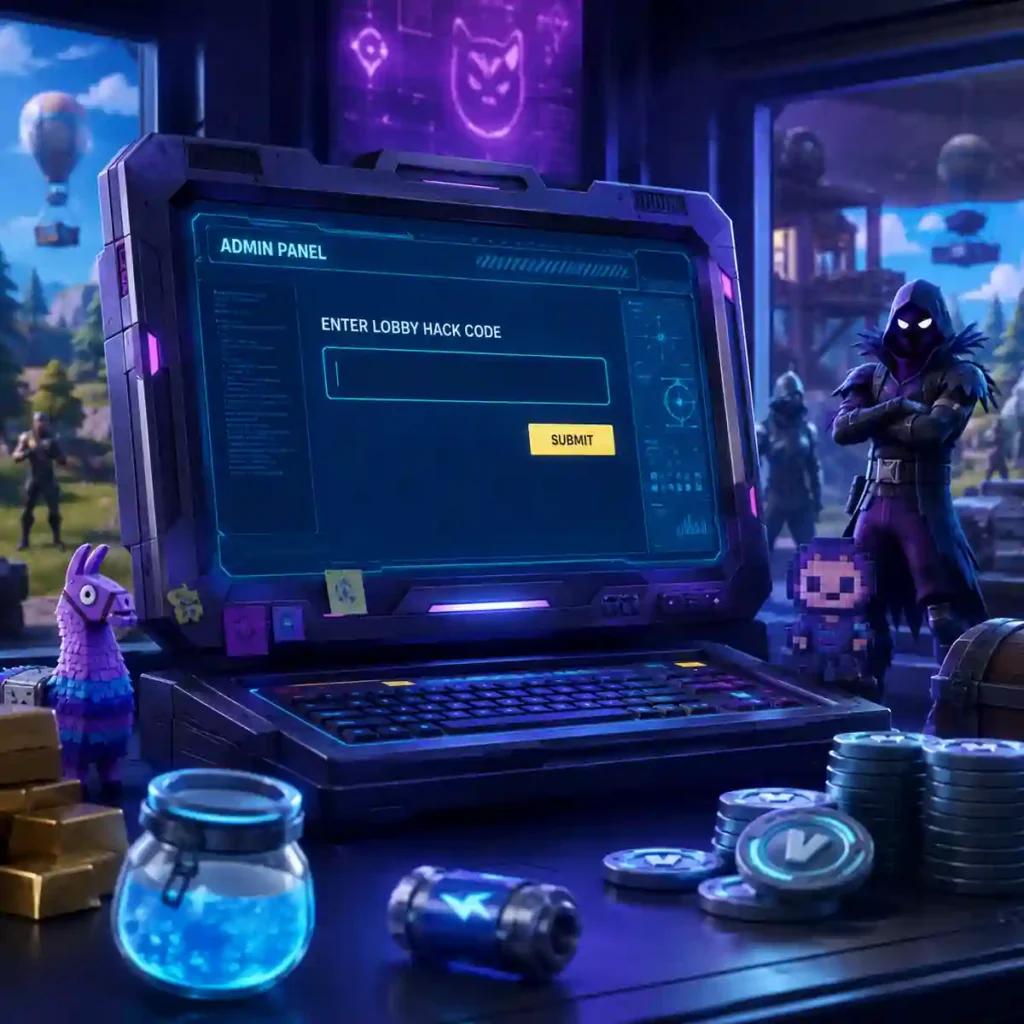
Fortnite Chapter 7 Season 4: Override has expanded its new Admin Panel system, giving players more Lobby Hack codes to redeem for free XP, Sprite Dust, Cheat Master Sprites, Gizmos, loading screens and special lobby effects.
The biggest change since the season launched on August 20 is that the original list of 19 codes is already outdated. At least 21 Admin Panel codes have now been reported, including H0p0nVC for another 2,000 Sprite Dust and GatherAndCraft, which can unlock the Cheat Master Bush Sprite after its required Story Quest is completed.
Epic Games describes Lobby Hacks as part of Override’s built-in seasonal experience, alongside Cheat Codes found around the Island, Override Consoles and the new Sprite system. These are legitimate Fortnite features rather than third-party cheats.
Latest Fortnite Admin Panel codes for August 23
Here are the working or recently confirmed Lobby Hack codes players should try first:
OverrideXP — 40,000 XP
H0p0nVC — 2,000 Sprite Dust
Magilume — 2,000 Sprite Dust
Chispambo — 2,000 Sprite Dust
Abgestaubt — 2,000 Sprite Dust
Perlimpinpin — 2,000 Sprite Dust
Play4All — Cheat Master Jonesy Sprite
GottaGoFast — Cheat Master Sonic Sprite
IWannaFlyHigh — Cheat Master Tails Sprite
8BitBlast — Cheat Master 8-Bit Sprite
BORN2PLAY — Cheat Master Adventure Sprite
GatherAndCraft — Cheat Master Bush Sprite; players must complete the required Story Quest before the Admin Panel will accept it.
O2OVERRIDE — Llama Supply Drop and 5 Portable Extractors
TakeYourHeart — 2 Extraction Accelerators
SurviveTheNight — 2 Cheat Code Locators
FindItChat — 2 Cheat Code Locators
PerfectOrder — 4 Spicy Tacos
REACHYOURIMPOSSIBLE — Block Party Loading Screen
BeMoreAlien — Override Ready Loading Screen
LetsBlockAndRoll — Tetris lobby transformation
DontBlockMe — Tetris-related lobby effect/transformation
The addition of H0p0nVC raises the readily redeemable Sprite Dust from the original 8,000 to at least 10,000 Sprite Dust. Multiple current code trackers list it as active.
Important update about GatherAndCraft
GatherAndCraft is different from the other Sprite codes. Reports indicate that simply entering it immediately may not work. Players first need to complete the relevant Ziggy Story Quests; after that requirement is satisfied, the code can unlock the Cheat Master Bush Sprite.
That means an error message for this particular code does not necessarily mean the code has expired.
How to redeem Fortnite Admin Panel codes
There is no need to visit an external redemption website. Everything is handled inside Fortnite.
- Launch Fortnite and go to the Battle Royale lobby.
- Make sure you are using the Chapter 7 Season 4 experience.
- Find the “…/ admin panel” option near the upper-right corner.
- Open the Admin Panel.
- Type or paste one of the codes.
- Select Submit.
- Claim or equip the reward when the confirmation appears.
Players having trouble seeing the Admin Panel should also try switching Ranked mode off, as current guides report the panel appearing from the standard Battle Royale lobby.
Code not working? Check these things first
Double-check the spelling and remove any spaces accidentally copied before or after a code. Pay particular attention to O2OVERRIDE, where the letter O and number 0 can easily be confused.
Also, “Copy” is not part of any Fortnite code. If a website places a Copy button beside a code, enter only the actual code text.
For GatherAndCraft, finish its Story Quest requirement before assuming the code is broken.
Are any Fortnite Admin Panel codes expired?
As of the latest checks on August 23, 2026, major code trackers are not showing a confirmed expired-code list, although availability can change without much warning. Epic is also expected to continue revealing Lobby Hacks during the season.
Because Override is only a few days old, players should expect the active list to continue changing as additional codes are discovered through Fortnite promotions, social posts, community activity and seasonal quests.
Fortnite Servers and v42 Update: Latest Status and Changes
Lobby Hacks, Cheat Codes and Overrides are not the same thing
The similar names can make Override’s new systems confusing. Lobby Hacks are rewards activated through the Admin Panel before entering a match. Cheat Codes are encountered around the Battle Royale Island, while Override Consoles can change rules or provide advantages during matches.
Epic says Override Consoles appear in every match and can rewrite rules for the server, while rare Squad Overrides provide benefits to the first squad that claims them but can also reveal that squad’s location.
Sprite Dust has another practical use. Players can spend it on Loot Hacks to modify Battle Royale chest drops by adding bonus items that are otherwise unavailable from those chests.
Which Fortnite codes should you redeem first?
For Battle Pass progression, OverrideXP is the obvious first choice because it provides 40,000 XP. Players interested in the Sprite system should then redeem H0p0nVC, Magilume, Chispambo, Abgestaubt and Perlimpinpin for a combined 10,000 Sprite Dust.
Collectors should claim the five immediately accessible Cheat Master Sprites through Play4All, GottaGoFast, IWannaFlyHigh, 8BitBlast and BORN2PLAY, then work toward the Story Quest requirement for GatherAndCraft.
The codes fit Override’s much broader gaming theme. Sonic the Hedgehog headlines the Battle Pass, with Tails appearing as a Sidekick, while Epic has announced content involving franchises including Kingdom Hearts, Pac-Man, Mega Man, Persona 5 Royal, Cyberpunk: Edgerunners, Crash Bandicoot, Spyro the Dragon and Tetris.
Players should redeem the free rewards while they remain available and use only Fortnite’s built-in Admin Panel. No legitimate Lobby Hack requires payment, an external download or handing account credentials to a third-party website.

Make Swikblog your go-to source on Google for reliable updates, smart insights, and daily trends.