
Updated: July 5, 2026
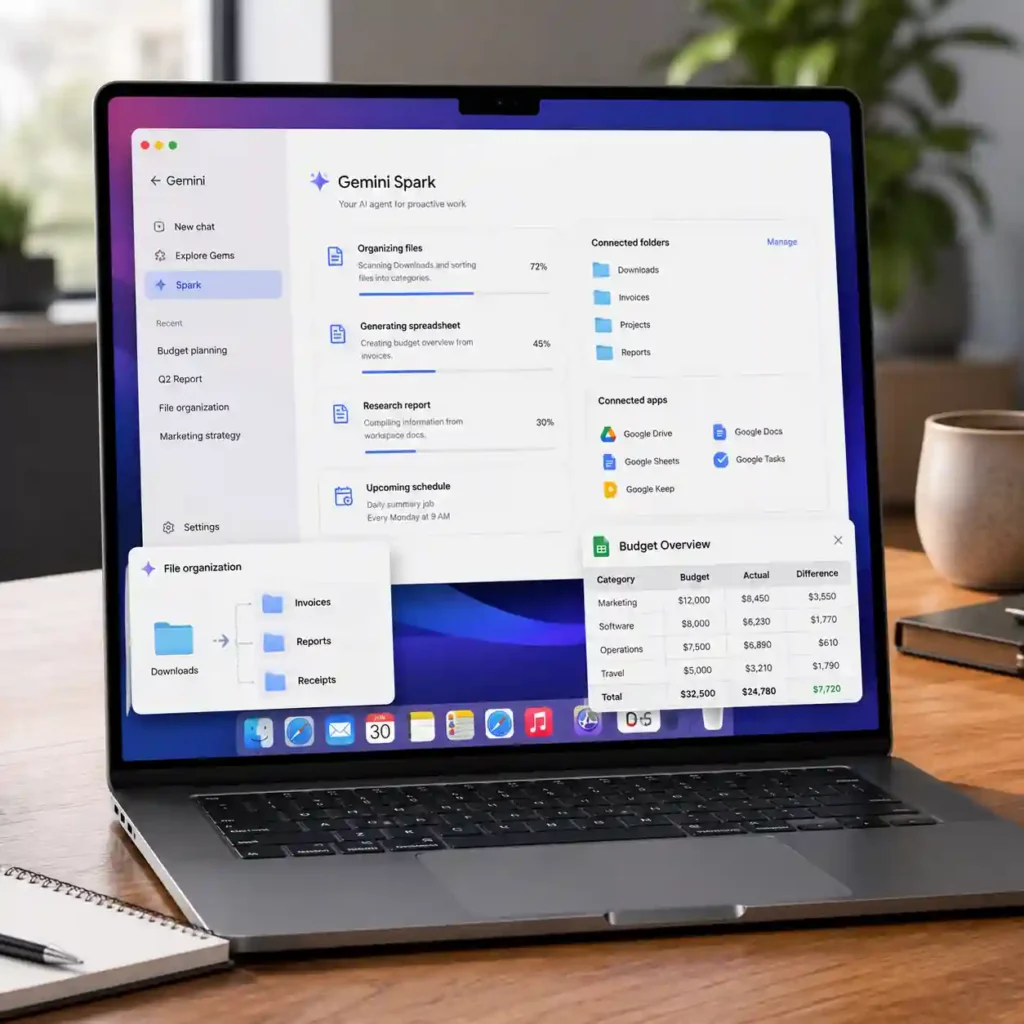
Google has started rolling out Gemini Spark in beta for the Gemini app on macOS, introducing a new AI-powered workspace that can organize files, create Google Workspace documents and automate routine tasks with user approval. The feature, first demonstrated during Google I/O 2026, is now reaching eligible subscribers in the United States as Google expands Gemini from a conversational assistant into a productivity platform.
At launch, Gemini Spark is available to users aged 18 or older who subscribe to Google AI Ultra. The rollout remains limited while Google continues testing desktop automation features before expanding availability to more users and regions.
Gemini Spark expands AI beyond simple conversations
Gemini Spark is designed to do more than answer prompts. Instead of acting like a traditional chatbot, it can complete multi-step tasks by working with folders stored on a Mac after the user grants permission.
For example, Spark can review a Downloads folder, separate invoices from reports, organize screenshots into categories and recommend a cleaner folder structure before making any changes. Users stay in control because Spark requests approval before carrying out important actions.
The assistant can even combine local documents with Google Workspace. A business owner could ask Spark to build a Google Sheets budget from saved invoices and schedule recurring updates whenever new documents appear.
Read More
Connected folders give users direct control
The latest macOS version of the Gemini app adds a dedicated Spark section where users choose exactly which folders the assistant can access. Permissions can be updated or removed at any time, allowing users to limit Spark to only the files needed for a specific project.
Google has introduced customizable Schedules and Skills, allowing recurring workflows to run with fewer manual steps. These features are intended for tasks that users perform regularly, such as generating reports or updating spreadsheets.
A new option can keep a Mac awake while Spark finishes longer jobs. Another safety setting alerts users if a backup fails before Spark continues working with connected files, helping protect important documents.
Privacy and security remain a priority
Because Gemini Spark works with files stored on a computer, privacy is one of the most important parts of the rollout. Google says Spark only accesses folders that users explicitly connect and does not automatically scan an entire Mac.
Users are encouraged to review every proposed action, connect only the folders required for a task and remove permissions when work is complete. These safeguards are designed to reduce unnecessary access to personal or business information.
Google continues publishing new features and improvements through its official Gemini release notes.
Support for more apps is expanding
Gemini Spark now works with Google Tasks and Google Keep, making it easier to connect AI-generated work with daily planning. Google has previously announced upcoming integrations with Canva, Dropbox, Instacart, OpenTable and Zillow Rental.
These additions are expected to make Spark more useful across creative projects, file management and everyday productivity by allowing work to continue across multiple services without constantly switching between apps.
Google’s wider AI strategy continues to evolve alongside major infrastructure investments. That effort can be seen in the company’s recent decision to limit Meta’s access to Gemini computing resources, reflecting growing demand for advanced AI computing capacity.
Remote Mac control is planned
Google has confirmed that a future update is expected to let users start approved tasks on their Mac from the Gemini web app or a mobile device. Once available, someone away from their computer could request a document search, gather information or prepare files before returning to their desk.
The company has not announced a release date for this feature, which remains part of its long-term Gemini roadmap.
Why this rollout matters
Gemini Spark represents Google’s next step in making AI assistants capable of completing practical work instead of simply generating responses. Desktop automation is becoming a major focus across the technology industry, with companies competing to make AI more useful in everyday workflows.
Although the beta remains limited to Google AI Ultra subscribers in the United States, it offers an early look at how desktop AI could change file management, document creation and productivity over the coming years. Wider adoption will depend on reliability, transparency and user confidence in the platform’s security controls.

Make Swikblog your go-to source on Google for reliable updates, smart insights, and daily trends.