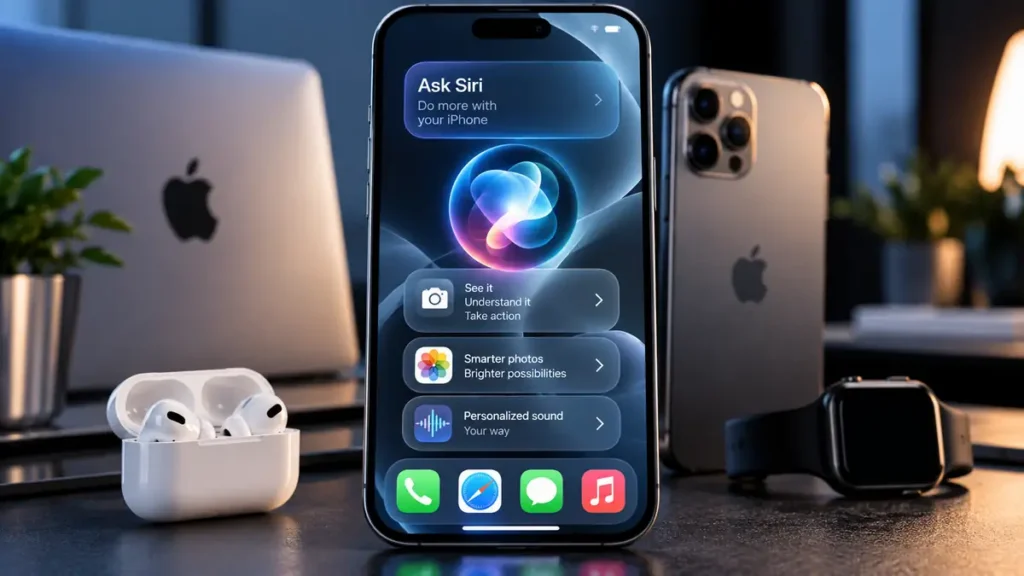

Apple has released iOS 27, bringing one of the biggest iPhone software updates in years with the new Siri AI, smarter photo editing, customizable Liquid Glass controls, AirPods audio upgrades and major performance improvements. The free update became available on September 14, 2026, for supported iPhones, although its most advanced Apple Intelligence features require newer hardware.
The release matters because Apple is pushing artificial intelligence deeper into everyday iPhone tasks rather than treating AI as a separate chatbot. Siri AI can understand personal context, recognize what is displayed on the screen and carry out supported actions across apps.
The rollout also follows Apple’s September iPhone 18 launch event, where the company placed its newest hardware and software more firmly around the expanding Apple Intelligence ecosystem.
1. Siri AI is the biggest iOS 27 upgrade
Siri AI is a completely redesigned version of Apple’s assistant powered by the next generation of Apple Intelligence. It supports more natural back-and-forth conversations, broader world knowledge, onscreen awareness and personal context from information such as messages, emails and photos.
Siri can also perform more actions across supported apps. Apple gives examples including finding information buried in personal content, drafting an email from scratch, editing photos and sharing selected images.
A new dedicated Siri app keeps AI conversations together, while Write with Siri can generate text, rewrite existing copy, proofread writing and provide feedback. In Messages and Mail, Siri can also attempt to match a user’s writing style, punctuation and tone.
2. Siri AI is still a beta and availability has limits
Siri AI began rolling out in beta in English with iOS 27 on September 14. Apple says support for French, Japanese, Korean, Portuguese and Spanish is scheduled to arrive in October 2026.
The new Siri experience is not available on every iPhone that can install iOS 27. It requires an Apple Intelligence-compatible device: iPhone 15 Pro, iPhone 15 Pro Max, iPhone 16 models or newer supported models.
Apple also says Siri AI will not initially be available on iPhone in the European Union. Siri AI and the newest Apple Intelligence features are also unavailable in China while Apple works through regulatory requirements.
Some users may therefore install iOS 27 without immediately receiving the full Siri AI experience because availability depends on hardware, language and region.
3. Siri mode in Camera adds visual AI
Siri AI now extends into the Camera app through Siri mode. Users can point the iPhone camera at an object, location, document or other subject and use Visual Intelligence to search, ask questions or take supported actions based on what is around them.
Visual Intelligence can also work with information already displayed on the screen. A user could, for example, ask Siri about a diagram in Notes or compare information in documents shown on the iPhone.
Apple also highlights practical uses such as understanding information from receipts and using supported tools to help split a bill before paying friends through Apple Cash where the service is available.
4. Photos gets more powerful AI editing
iOS 27 expands Apple Intelligence inside Photos with tools including Spatial Reframing, Extend and an upgraded Clean Up feature. These allow users to adjust framing, expand the boundaries of an image and remove distracting objects without moving into a separate photo-editing application.
Apple is also expanding iCloud Shared Albums with full-resolution cross-platform photo sharing, making it easier for people using Android and Windows devices to participate in shared albums.
Some intelligent photo-editing functions use Apple’s server-side AI models and can be subject to usage limits.
5. Liquid Glass gets more customization
Apple has refined the Liquid Glass design introduced across its software platforms, with changes intended to improve contrast and readability. App icons have also been updated to appear sharper and more defined.
A new Liquid Glass slider lets users adjust the interface from an ultraclear appearance toward a more heavily tinted look, giving people greater control over transparency and visibility.
6. AirPods owners get Custom EQ controls
AirPods users can now take advantage of Custom EQ options that provide greater control over lows, mids and highs. The feature is designed to let listeners personalize their audio without relying entirely on individual music apps.
Apple has also expanded integration between supported AirPods and other parts of its ecosystem, including additional fitness-related functionality for newer AirPods models.
7. Safari and Shortcuts get smarter with AI
Apple Intelligence can organize Safari tabs into topics and help users keep track of supported website changes, including events such as products returning to stock or prices changing.
Shortcuts is becoming more accessible as well. Users can describe the automation they want in natural language instead of manually assembling every step.
The development reflects a wider shift toward AI systems capable of completing actions rather than simply answering questions, similar to the trend seen in Meta’s Muse AI agent.
8. Weather, Messages and parental controls improve
The Weather app gets richer views for precipitation, wind and other conditions, along with Highlights designed to quickly summarize important weather information for the day.
Messages provides more control over the button beside the text field, including options that can reduce accidental activation of features such as dictation.
Parents receive redesigned Screen Time controls, Ask to Browse approvals for websites and additional safeguards around child accounts. Apple says Siri AI itself is not available to users under age 13.
9. Apple says iOS 27 is significantly faster
Apple says apps can launch up to 30% faster after upgrading to iOS 27. Newly taken photos can appear in the Photos library up to 70% faster, while AirDrop transfers can be up to 80% faster under Apple’s testing conditions.
Those figures are maximum results from controlled testing, so performance will vary depending on the iPhone model, storage, battery condition, apps and workload.
Search has also been improved across areas including Spotlight, Photos and Mail, while Mail receives a redesigned ranking system intended to surface more relevant Top Hits.
10. Early iOS 27 user experiences are mixed
Early posts from iPhone owners after the September 14 release have described smoother animations and improved responsiveness, with some users also reporting encouraging battery results on devices including the iPhone 15 Pro Max.
Other users have reported temporary warmth, inconsistent responsiveness or differences in battery life following installation. These reports are anecdotal and should not be treated as confirmed performance changes for every device. Major iOS updates can also trigger background indexing and other processes shortly after installation.
Some discussion has also focused on access to the new Siri experience, but Siri AI availability depends on a compatible device, supported language and region.
11. Which iPhones support iOS 27?
iOS 27 supports more devices than the iPhone 11-and-later description may suggest. Apple’s official compatibility list includes the iPhone 11 series and every subsequent generation, along with the second-generation and third-generation iPhone SE.
Supported models include the iPhone 11, 12, 13, 14, 15, 16, 17 and newer families, including their supported mini, Plus, Pro, Pro Max, Air and e variants where applicable, as well as the new iPhone 18 Pro and iPhone 18 Pro Max.
That does not mean every iOS 27 feature works on every supported phone. Apple Intelligence requires an iPhone 15 Pro, iPhone 15 Pro Max, iPhone 16 model or newer compatible device.
12. Apple Intelligence and Siri AI have different requirements
Apple Intelligence supports a much wider range of languages than Siri AI’s initial beta rollout. Apple currently lists Apple Intelligence support for languages including English, French, German, Italian, Japanese, Korean, Portuguese, Spanish, Chinese and several others, although individual features can still vary by region and language.
Siri AI is more restricted at launch, beginning with English before additional languages arrive. Users must also have Siri and their device language configured to a supported language.
Apple says certain features that rely on server-side models are subject to daily usage limits. These can include Siri AI, intelligent photo-editing tools, Image Playground and cloud-based models used by Shortcuts. Limits may vary depending on the feature, request complexity and system demand.
13. iOS 27 is part of a much wider Apple software shift
iOS 27 launched alongside Apple’s wider 2027-generation software releases, including iPadOS 27, macOS 27, watchOS 27, visionOS 27 and tvOS 27.
The broader strategy is increasingly clear: Apple is embedding artificial intelligence directly into familiar system experiences. Siri, Camera, Photos, Safari, Mail and Shortcuts can increasingly share context and perform actions instead of operating as isolated tools.
For owners of older compatible iPhones, iOS 27 still delivers design refinements, parental controls, performance improvements and other system changes even without the newest AI features.
Users with Apple Intelligence-compatible devices receive the more significant change, with Siri AI becoming a conversational assistant capable of using personal context, understanding onscreen information and taking supported actions across the iPhone.
Before updating specifically for Siri AI, users should check Apple’s official iOS 27 feature information because availability varies by device, language and region.

Make Swikblog your go-to source on Google for reliable updates, smart insights, and daily trends.