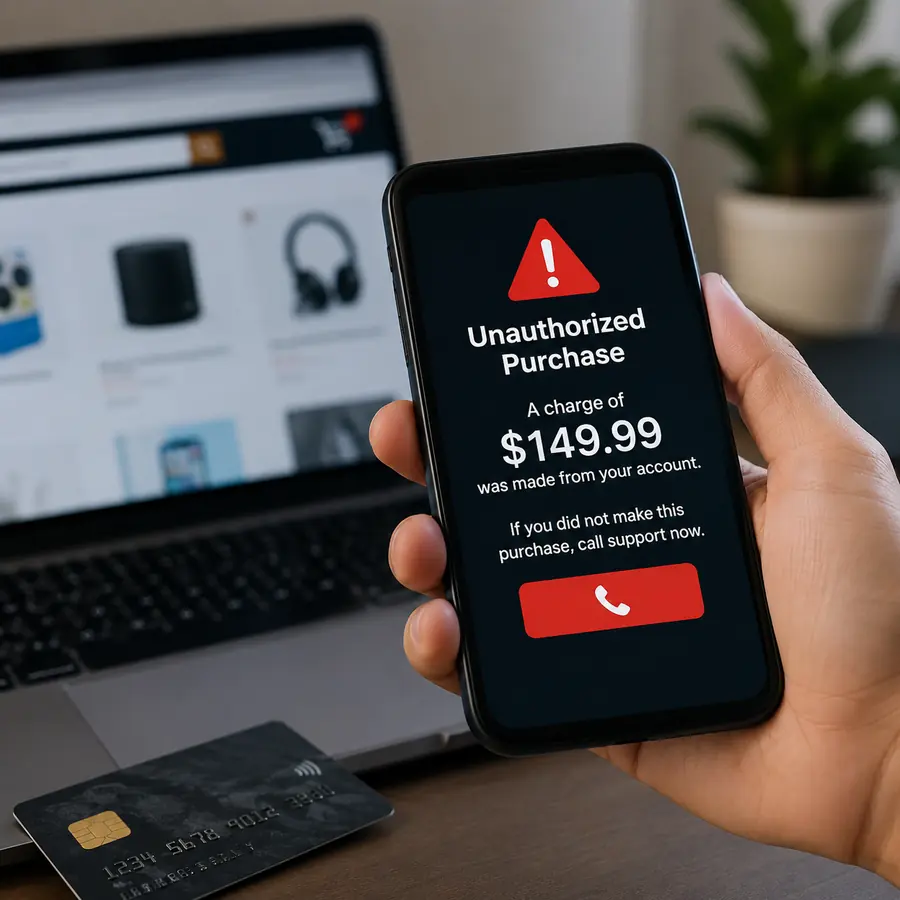

Apple and Amazon users are being targeted by a fraud campaign built around a fake $149.99 unauthorized purchase alert.
The warning can appear as a browser pop-up designed to look like an official security notice from Apple or Amazon. It claims that a $149.99 transaction has been authorized and urges the user to call a support number immediately.
The purchase may not exist at all. The goal is to make people panic, contact scammers and potentially hand over passwords, verification codes, payment details or remote access to their devices.
Separate warnings have also been issued about fake Apple billing messages arriving by text and email. These can mention App Store or iTunes purchases, subscription renewals or suspicious account activity.
How the $149.99 scam works
Security researchers found Apple and Amazon versions using almost identical wording, the same $149.99 amount and even the same supposed support phone number.
That is an important warning sign. Legitimate Apple and Amazon customer-service operations would not share the same emergency support number in unrelated alerts.
The $149.99 amount is also believable enough to create concern without immediately looking absurd. Scammers combine that figure with technical terms such as “Pre-Authorization” and urgent instructions to make the message appear genuine.
If someone calls, a fake support representative may claim the account has been compromised and offer to cancel the purchase. The caller may then be asked for account credentials, card information or two-factor authentication codes.
Some scammers may also persuade victims to install remote-access software, potentially allowing another person to view or control parts of the device.
Fake alerts can arrive in several ways
This threat is not limited to browser pop-ups. Fraudulent Apple messages may arrive through text messages, emails and fake receipts.
The message may tell users to click a link, open an attachment, call a number or provide personal information.
Similar pressure tactics have appeared in other Apple-related phishing campaigns. Users concerned about account security may also want to understand iPhone security warnings and how to respond safely when unexpected messages appear.
An Apple logo does not prove a message is real
Scammers can copy logos, sender names, payment language and familiar-looking layouts. A message displaying “apple.com” or Apple branding is not automatically legitimate.
The safest approach is to judge what the message is asking you to do. Unexpected requests for passwords, verification codes, payments or immediate phone calls should always be treated cautiously.
Apple’s official phishing and social-engineering guidance says users should never share passwords or security codes with someone claiming to provide support.
Apple also warns users not to call phone numbers displayed in suspicious browser alerts claiming that a device or account has a security problem.
What to do if you see the $149.99 alert
Do not call the number shown in the pop-up and avoid clicking buttons such as “Cancel,” “Support” or “Secure Account.” Close the browser tab or window instead.
Then open the official Apple or Amazon app yourself, or manually visit the genuine website, and check recent purchases, subscriptions, orders and account activity.
Amazon customers should apply the same caution to refund-related messages. The Amazon FTC settlement and related scam precautions are another reminder to use verified websites rather than links supplied in unexpected communications.
If the $149.99 transaction does not appear in the genuine account or payment history, the warning itself should not be treated as proof that money was taken.
If an unfamiliar card transaction really exists, contact the bank or card issuer through its official app, website or the number printed on the card.
Read More
What if you already responded?
If you called but shared no information, end the conversation and avoid further contact.
If you disclosed an Apple or Amazon password, change it immediately through the official service. Enable two-factor authentication if it is not already active.
If you shared a verification code, review the account for unfamiliar devices, sessions, orders or security changes.
If card or banking details were provided, contact the financial institution directly.
Anyone who installed remote-access software at a scammer’s direction should disconnect the session, remove the software and review important accounts from a trusted device.
How to tell a real charge from a fake alert
A genuine transaction should leave evidence beyond the message claiming it happened. Check Apple purchase history, Amazon order history and the associated bank or card account independently.
Be especially suspicious when a message combines an unexpected purchase, a precise amount, technical language, extreme urgency and instructions to call a specific number immediately.
The branding may change, but the strategy remains the same: create a financial scare and push the victim toward a communication channel controlled by the scammer.
The safest response is to leave the alert untouched, open the genuine account separately and verify whether the transaction actually exists.

Make Swikblog your go-to source on Google for reliable updates, smart insights, and daily trends.