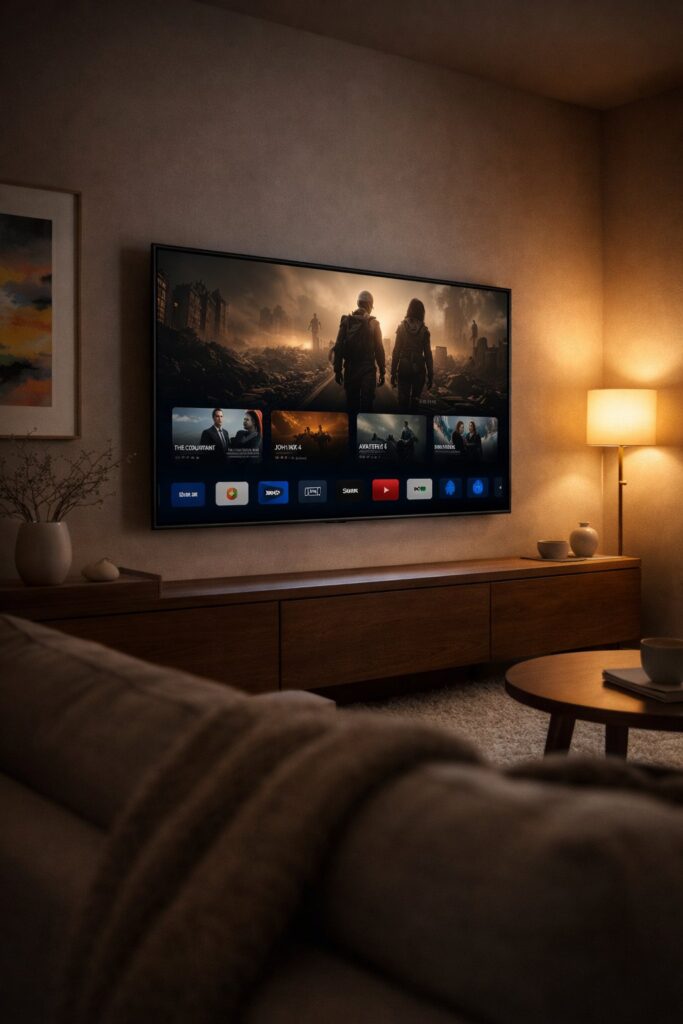

Amazon is refreshing the Fire TV experience with a faster, cleaner home screen, a rebuilt mobile app, and a new lifestyle television line called Amazon Ember—led by the Ember Artline, designed to look as good showing art as it does streaming shows.
- New Fire TV UI: faster navigation, streamlined layout, and dedicated hubs for movies, TV, sports, news, and live content.
- More control: pin up to 20 apps, plus a long-press Home shortcut panel for settings and smart-home tools.
- Alexa+ features: conversational recommendations and (on supported titles) the ability to jump to specific scenes you describe.
- Amazon Ember Artline: a matte-screen 4K QLED “lifestyle TV” with free art, Ambient Experience upgrades, and optional magnetic frames.
What’s changing in Fire TV—and why it matters
Streaming choice can be exhausting: you know what you want to feel, but not what you want to click. Amazon says its Fire TV mission is simple—get you to something worth watching, fast. That’s the logic behind a redesigned interface that prioritizes content discovery over app-hunting, and performance improvements that reduce lag and friction.
Speed upgrade: Amazon says the new Fire TV UI delivers up to 20–30% faster responsiveness in some cases, thanks to a rebuilt foundation—not just a visual refresh.
A cleaner home screen with dedicated content hubs
The updated Fire TV experience organizes browsing by what you’re trying to watch—movies, TV, sports, news, and live—pulling titles across subscriptions in one place. In practical terms, that means when you browse “Movies,” you’re not just looking inside one app at a time. You’re scanning options across the services you already use.
What you’ll notice first
| Change | What it does | Why it helps |
|---|---|---|
| Modern layout | Rounded corners, updated typography, optimized spacing, cleaner gradients. | Improves scan-ability and reduces “visual noise” when browsing. |
| More pinned apps | Increase from 6 to 20 home-screen pins. | Less digging—your daily apps stay one click away. |
| Shortcut panel | Long-press Home for quick access to common controls. | Faster access to display/audio settings and smart-home tools. |
| Menu button destinations | Jump to Games, Art & Photos, and Ambient Experience. | Makes Fire TV feel more like a “home hub,” not only a launcher. |
Alexa+ expands beyond voice search
Amazon is pushing Alexa+ as an “entertainment expert” layered across Fire TV. Instead of searching with rigid keywords, you can describe what you want in plain language: who you’re watching with, what mood you’re in, or the kinds of actors and directors you like.
A standout feature is scene navigation on supported Prime Video titles—meaning you can describe a moment and jump straight to it. Alexa+ can also help you build watchlists, pull stats during sports, manage smart-home devices, and even generate ambient backgrounds for your TV.
For readers who want Amazon’s official details, the announcement was published on the company’s newsroom site, and it outlines how the interface, Alexa+ experiences, and the Ember Artline launch fit together in early 2026. You can read it via Amazon’s official news site.
The Fire TV mobile app “glow up”
The Fire TV mobile app is being redesigned to match the new on-TV experience, and it’s moving beyond “backup remote” status. Alongside remote controls, the updated app adds the ability to browse content, manage a watchlist, and start playback on your TV.
The idea is simple: use your phone as a second screen for discovery. Add a recommendation while you’re away from home, then pick it up on the big screen later without re-searching.
Amazon Ember Artline is a new kind of Fire TV: a lifestyle TV built for “Ambient” mode
Amazon is also giving its in-house TV lineup a new name: Amazon Ember. The first major release under that banner is the Ember Artline, positioned as a lifestyle TV designed to look at home in any room.
What Ember Artline adds
- Matte 4K QLED screen designed to reduce glare and make art and photos look more natural.
- Dolby Vision + HDR10+ support for modern streaming formats.
- Wi-Fi 6 and a slim 1.5-inch profile.
- Far-field microphones for hands-free Alexa+.
- Presence detection that can turn the Ambient Experience on when someone enters the room—and off when they leave.
- 2,000+ free art pieces plus Amazon Photos integration.
- Magnetic frames in 10 color options to match décor.
Amazon also describes an AI-powered art recommendation feature: users can take up to four room photos and get suggestions that match their style. If you connect Amazon Photos, you can ask for themed slideshows (family trips, weddings, holidays) for a more personal ambient display.
Release timeline and pricing (what to expect)
Amazon says the new Fire TV interface and mobile app begin rolling out starting in February on select Fire TV sticks and Amazon TV models in the U.S., with expansion to more devices and countries later in spring.
The Amazon Ember Artline is expected later this spring in the U.S., Canada, Germany, and the UK, in 55-inch and 65-inch sizes, starting at $899 (including one magnetic frame).
What this signals: Fire TV is becoming a “content-first” platform
The most important shift here isn’t cosmetic—it’s strategic. Amazon is betting that the winning TV experience will be: faster, content-led, and increasingly shaped by AI-driven intent rather than manual browsing. The Ember Artline extends that idea into the living room: the screen becomes both entertainment and décor.
FAQ
Which Fire TV devices get the new interface first?
Amazon says the rollout begins in February on select Fire TV Stick and Amazon TV models in the U.S., with broader device and country expansion later in spring.
What’s new about Alexa+ on Fire TV?
Alexa+ is positioned as a generative-AI assistant that helps with personalized recommendations via conversation and (on supported titles) can jump to specific scenes you describe.
What makes the Ember Artline a “lifestyle TV”?
It’s designed to look good when you’re not watching: matte screen, ambient art and photos, presence detection for Ambient Experience, and optional magnetic frames to match your room.
Do you need subscriptions to watch everything shown on Fire TV?
Yes—content availability depends on your apps and subscriptions. Fire TV surfaces titles across services, but access can require separate subscriptions.
You may also like: More trending explainers on Swikblog

Make Swikblog your go-to source on Google for reliable updates, smart insights, and daily trends.